

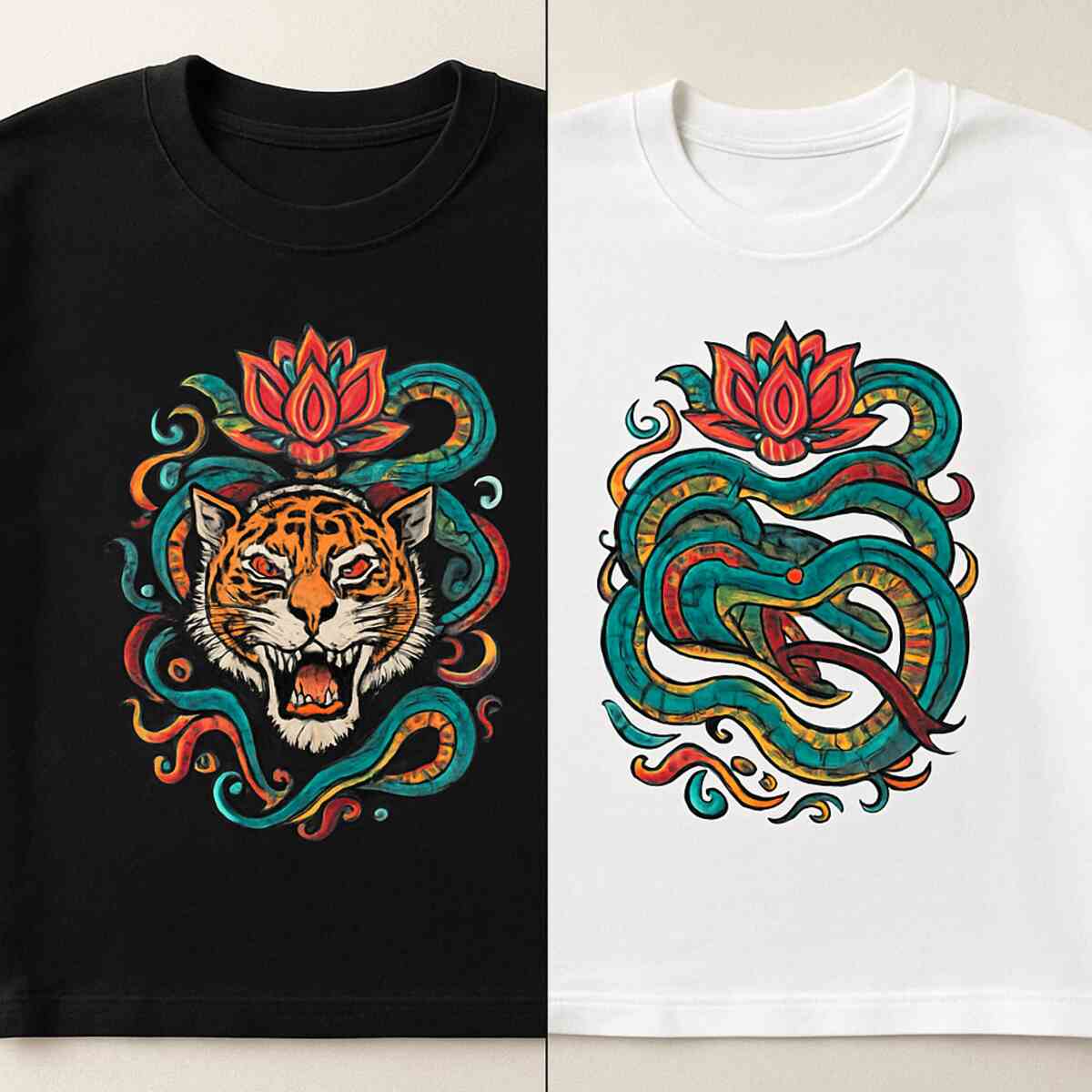

Have you ever picked up a boutique t-shirt, marveling at the incredibly detailed, vibrant design that refuses to crack? That professional quality isn’t magic, nor does it require a massive manufacturing facility. It is actually the result of Direct to Film (DTF) printing, which is rapidly becoming the modern standard for garment decoration. Industry data reveals this technology is the fastest-growing method in 2024 because it completely shatters traditional barriers to entry for independent creators. Check out the Best info about direct to film printer.
Instead of wrestling with expensive screen setups or peeling tiny bits of sticky vinyl, anyone can now operate a dtf printer to achieve flawless transfers. In practice, this shift means your growing apparel business can press full-color graphics onto virtually anything, since fabric type is no longer a limitation. High-end results are finally accessible to home-based entrepreneurs, offering both massive cost savings and incredible creative versatility.
What Exactly is a DTF Printer and Why is it Disrupting the Industry?
If you have ever spent hours peeling tiny bits of excess vinyl from a custom t-shirt design, you already understand the frustration of traditional decorating. This time-consuming hurdle explains why the dtf printer is rapidly taking over craft rooms and small businesses. It eliminates weeding entirely, letting you print full-color, complex graphics that are immediately ready for fabric.
Think about a standard desktop printer, which permanently soaks ink directly into paper. With dtf printing, you instead print your artwork onto a clear, high-tech transparency sheet. This film acts as a temporary carrier, holding the wet design perfectly intact so you can move it over to your garment. Shifting an image from a temporary surface to its permanent home is the core concept behind all digital transfers.
Making this leap from film to fabric relies on three simple essentials: the carrier film, a specialized adhesive powder acting as the glue, and heat. Because this straightforward trio requires no massive industrial setup, the process scales effortlessly from spare-bedroom side hustles to bustling commercial print shops.
The Science of the Transfer: How Direct to Film Technology Works
Visualizing a high-tech sticker being made from scratch is the easiest way to grasp direct to film technology. Instead of soaking into paper, specialized inkjet nozzles spray your digital design onto a clear piece of PET film (a heat-resistant plastic). The printer lays down vibrant colors first, followed by a solid white layer, keeping the wet ink resting safely on the surface.
Turning that wet artwork into a stretchable, durable transfer relies on a specific four-step workflow:
- Print: The design is printed in reverse onto the film, leaving the wet ink exposed.
- Powder: A specialized adhesive powder is dusted over the wet design, acting as the crucial “glue.”
- Cure: Hovering heat melts the powder into the ink, transforming it from a liquid into a flexible, rubbery state.
- Press: A heat press pushes the melted adhesive side firmly into your garment before peeling the clear film away.
By separating the printing stage from the final fabric application, your graphic never sinks into the shirt’s fibers to look faded or dull. That heavy white base layer holding the adhesive together is the true hero of this entire migration process.
CMYKW Explained: Why White Ink is the Secret to Printing on Dark Fabrics
Printing a colorful photo onto black paper at home doesn’t work because the colors simply vanish into the dark background. Standard desktop printers need white paper to make your designs visible. DTF printing solves this textile challenge by following a specific cmykw ink configuration guide—adding a crucial “W” for white ink to the traditional Cyan, Magenta, Yellow, and blacK color mix.
Vibrant designs on black hoodies require a clever reversal of the standard printing process. The machine sprays your full-color graphics onto the clear film first, then completely covers that wet artwork with a thick blanket of white ink. This essential technique, known as underbasing, ensures that when you eventually flip the transfer over to press it, the white layer lands directly on the bottom. It acts as a solid, opaque shield against the dark fabric so your colors truly pop.
Because this dense white base must effectively block out the shirt’s natural color, it is much thicker than standard inks. To prevent these heavy pigments from settling and causing clogs, a built-in white ink circulation system continuously keeps the liquid moving. That perfectly mixed, heavy foundation ultimately needs a highly specialized surface to hold onto before meeting your garment.
The Role of PET Film: More Than Just a Plastic Sheet
If you tried to print that heavy ink onto a regular plastic folder, it would immediately bead up and smear. That’s why the process relies on pet film (a high-tech, heat-resistant transparency sheet) designed specifically to manage wet liquid. Unlike standard smooth plastic, one side of this specialized carrier features a slightly textured, matte release coating. This frosted surface gives the wet ink a stable foundation to grip onto without running together or pooling into a messy puddle.
Choosing the right material thickness also plays a massive role in keeping your detailed designs completely crisp. A sheet that is too thin will quickly warp under the damp ink, while an overly thick one causes uneven temperature issues later when curing pet film with heat press equipment. Once your vibrant artwork is safely anchored to this sturdy matte layer, it requires hot melt adhesive powder to act as the permanent binder.
Hot Melt Adhesive Powder: The Glue That Makes the Magic Stick
Without a way to grab onto your t-shirt, that beautiful wet ink is useless. This is where TPU (Thermoplastic Polyurethane) steps in—a specialized hot melt adhesive powder application acting as the vital bridge between your liquid design and fabric threads. When dusted over the film, this fine powder clings exactly to the wet ink, waiting to be activated.
Mastering this comes down to understanding the powder’s melt-point, the exact temperature where it transforms from a sandy dust into a sticky gel. As it heats up, you will see it change from a dull white coating into a shiny, dimpled surface that looks exactly like an orange peel. That distinct texture is visual proof the powder melted perfectly, guaranteeing your design survives the wash.
Because this material is incredibly fine, it requires gentle handling and proper workspace ventilation to keep dust away while preparing dtf transfers. Once the adhesive safely melts, the artwork changes from a fragile print into a wearable sticker ready for the heat press.
Curing and Pressing: Transforming Liquid Ink into a Durable Design
Creating that “orange peel” texture is just the first half of a vital two-stage heating process. Beginners operating a dtf printer often confuse “curing” with “pressing,” but they serve entirely different purposes. Curing is essentially baking the adhesive powder into the wet ink on your film, creating a solid, storable sticker. Pressing is the final step where you use heavy pressure to forcefully melt that sticker deep into your t-shirt’s fabric fibers.
Success here dictates whether your design survives fifty laundry trips or cracks after one. If you under-cure the film, the powder remains dusty and won’t grip the shirt; if over-cured, the glue turns brittle and yellow. To hit the sweet spot when curing pet film with heat press equipment or specialized ovens, follow these baselines:
- Typical curing settings: 325°F for 90 seconds (oven) or 15 seconds (press)
Even the best equipment can run hotter or colder than the digital display claims. For absolute consistency, grab an inexpensive laser thermometer to double-check your platen’s real temperature before applying final pressure. Mastering this heat application unlocks the ability to decorate almost any garment and shatters traditional fabric limitations.
DTF vs. Sublimation: Breaking the 100% Polyester Barrier
Sublimation works by turning ink into a gas that permanently dyes fabric fibers. It creates incredibly soft designs, but there is a major catch: it strictly requires light-colored, 100% polyester materials. If a customer asks for a black cotton hoodie, traditional sublimation simply disappears into the dark fabric. DTF entirely removes this roadblock. Because DTF uses a white ink base and adhesive powder, it acts like a flexible, wearable sticker rather than a sheer dye. This means you can confidently tackle printing on dark polyester fabrics, thick cotton blends, and even denim without losing a drop of color vibrancy.
Recognizing the difference between sublimation vs dtf transfers helps you choose the exact right method for your specific project. Here is a quick breakdown of how they compare:
- Fabric Flexibility: Sublimation demands light polyester; DTF works perfectly on heavy cottons, blends, and darks.
- Color Visibility: Sublimation ink vanishes on black garments; DTF remains bright and opaque on any background.
- Ideal Uses: Keep using sublimation for hard items like coated coffee mugs or ultra-light athletic wear. Switch to DTF for premium, everyday streetwear.
Escaping the “polyester-only” trap opens up an entirely new catalog of clothing options for your creative projects. This digital method also offers distinct advantages over traditional commercial techniques like screen printing, particularly for small batch orders and intricate details.
Why DTF Beats Screen Printing for Small Batch Orders and Intricate Details
Anyone who has attempted screen printing knows the real work happens before ink ever touches fabric. Burning a separate mesh screen for every single color introduces massive setup costs in time and materials. Because dtf printing is an entirely digital process, it completely skips this labor-intensive prep work. You simply send your digital file to the printer, dropping your setup time from hours down to minutes and making a single, one-off custom t-shirt instantly profitable.
Capturing photographic realism is another area where digital transfers shine brightly. Traditionally, blending a sunset’s vibrant gradient requires advanced color separation skills and precise physical alignment on a heavy press. However, a reliable digital printer acts as the essential equipment for apparel business owners who want to offer full-color artwork effortlessly. The machine lays down millions of tiny ink droplets simultaneously, perfectly capturing intricate fine lines and subtle shading that would be an absolute nightmare to recreate on physical mesh screens.
This doesn’t mean traditional methods are obsolete. If a customer orders five hundred identical summer camp shirts, screen printing still wins because the incredibly low run-cost of quickly squeegeeing ink offsets those initial setup hours. Yet, for the small-batch custom requests dominating today’s market, film transfers offer unmatched agility.
DTF vs. DTG: Solving the Pre-treatment Headache once and for all
If you are familiar with Direct-to-Garment (DTG) printing, you know it works much like a home document printer, but for shirts. However, printing directly onto fabric requires a sticky liquid primer called pre-treatment. This chemical spray often leaves an ugly, stiff square—the dreaded “pre-treatment box”—on your garments. By printing onto film first, a dtf printer skips this messy step entirely. The adhesive powder binds only to your wet ink, leaving the surrounding fabric completely untouched and stain-free.
Beyond saving garments from chemical stains, ditching the pre-treatment phase radically speeds up your daily production. When you switch from DTG to film transfers, the workflow improvements are immediate:
- No spraying and drying: You skip the tedious process of coating and pre-pressing every single shirt before printing.
- Lower ink costs: Film doesn’t absorb ink like thirsty cotton does, meaning you use significantly less ink to achieve vibrant colors.
- Easier maintenance: Without sticky pre-treatment chemicals hovering in the air and building up on machine parts, daily cleaning is much faster.
This streamlined setup also yields a tougher end product. Because the melted adhesive powder forms a flexible, rubbery bond with the fabric, the wash fastness of digital transfers easily outlasts traditional direct printing. The ink won’t quickly fade or crack in the laundry, giving your customers a premium shirt that stretches comfortably.
Ditching the Weeding Tool: Why DTF is Replacing Heat Transfer Vinyl
Anyone peeling tiny scraps of vinyl from a custom shirt knows the true cost of manual labor. Heat Transfer Vinyl (HTV) requires tedious “weeding” with a pick, draining your patience and cutting into your profits. DTF printing introduces the magic of “digital weeding.” Processed by the best rip software for garment decoration—a program translating digital images into precise ink instructions—your intricate design is printed directly onto the carrier film. The printer itself handles the complexity, leaving you with a ready-to-press image and completely bypassing the dreaded weeding tool.
Stepping away from physical cutting blades shatters the creative boundaries imposed by traditional craft machines. Creating a vinyl sunset involves carefully aligning multiple colored layers, resulting in a bulky, heavy patch on the fabric. Conversely, a DTF setup sprays thousands of colors simultaneously. You can flawlessly reproduce full-color photographic gradients, subtle drop shadows, and fine details that are physically impossible to cut and weed by hand.
Beyond saving countless hours of labor, this modern process completely transforms how the finished clothing feels. Thick vinyl layers often act like a stiff plastic shield. Because DTF’s melted adhesive bonds smoothly with the fabric fibers, the stretchability of heat transfers improves dramatically, moving naturally with the wearer without cracking.
Epson i3200 vs XP600: Choosing the Right Printhead for Your Budget
Stepping up to a dedicated DTF printer means looking at the engine of the machine: the printhead. As you shop, you will likely face a choice between two industry heavyweights: the epson i3200 vs xp600 printheads. Think of the XP600 as a reliable commuter car and the i3200 as a commercial delivery truck; both work beautifully, but they are built for entirely different workloads.
For most side-hustlers and small businesses, the XP600 is the perfect starting point because it offers fantastic quality without massive upfront costs. Regardless of your choice, always look for a printer with a dual-head setup. Running one printhead for your colors (CMYK) and a separate, dedicated head for your thick white ink is the absolute best method for preventing inkjet nozzle clogging, saving you from ruined films and messy daily maintenance.
When weighing your options, the choice usually comes down to three practical factors:
- Cost: XP600 heads are very affordable to replace (around $250), while the industrial i3200 costs well over $1,000.
- Speed: The i3200 features significantly more nozzles, allowing it to print large batches of transfers much faster.
- Expected Lifespan: An XP600 may need replacing yearly under heavy use, whereas the i3200 is built for continuous, multi-year commercial manufacturing.
Determining if the industrial speed of the i3200 justifies its premium price depends on your weekly order volume. If you are just starting, the XP600 leaves room in your budget for supplies. Yet, no matter which mechanical engine you choose, it needs flawless instructions to fire that ink correctly.
Why You Need RIP Software to Turn Your Designs into High-Quality Prints
Hitting “print” from standard photo software works beautifully for paper, but Direct-to-Film requires a much smarter translation. A RIP (Raster Image Processor) acts as the true brain of your operation. Instead of just sending a flat picture to your printer, RIP software tells the machine how to build complex, three-dimensional layers on clear film. Regular computer programs simply cannot understand that your apparel designs require a solid white background foundation to eventually stick to dark fabrics.
To build that crucial foundation, you need the best rip software for garment decoration, such as industry favorites Cadlink or AcroRIP. These specialized programs act as your automated cmykw ink configuration guide, calculating exactly where to place the thick white ink (the “W”) perfectly behind your standard colors (CMYK) so it never peeks out around your design’s edges. By intelligently controlling these microscopic droplet sizes, the software prevents ruined shirts while consistently saving you up to 20% on daily ink costs.
Once this digital brain translates your artwork into a perfectly layered print, the film exits the machine. The colors look vibrant, but the ink remains totally wet and lacks the essential glue to bond with clothing, making a powdered adhesive application essential.
Speeding Up Production with an Automatic Powder Shaker Machine
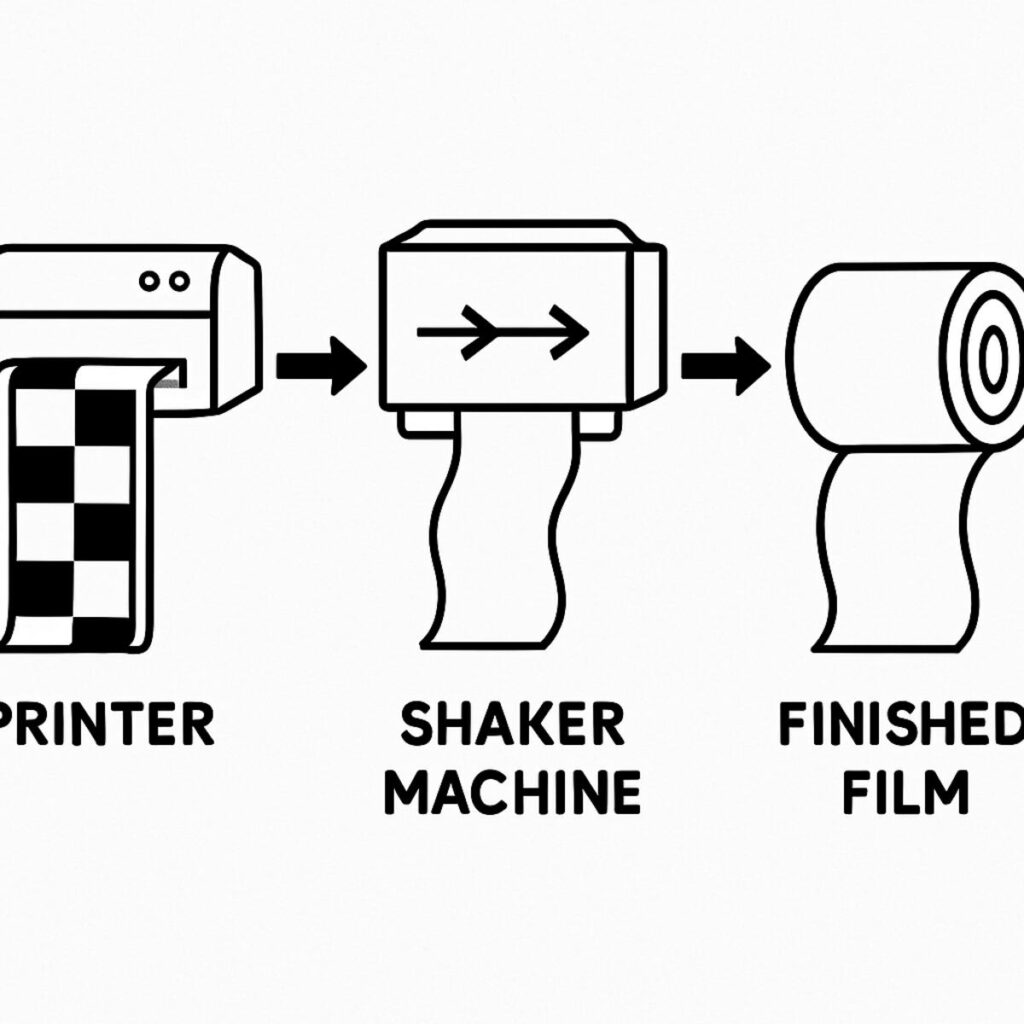
Manually shaking adhesive powder over wet ink works fine for a weekend project, but producing 50 shirts an hour makes that messy step a massive bottleneck. Upgrading your dtf printer to an automated system transforms it from a basic craft tool into a true, continuous production line.
This setup introduces “roll-to-roll” production, working much like a miniature factory conveyor belt. The printer feeds a continuous roll of wet designs directly into the shaker, where the machine evenly coats the ink, shakes off the excess, bakes the adhesive, and neatly winds up the ready-to-use film. Embracing this smooth automatic powder shaker machine workflow saves hours of physical labor while smartly recycling dropped powder to reduce material waste and protect your profit margins.
With that completed roll tightly wound and ready, your daily pressing speed increases drastically. Yet, the final retail quality and texture of those printed garments depend entirely on how you remove that clear plastic carrier sheet after applying heat.
Cold Peel vs. Hot Peel Film: Choosing the Right Finish for Your Brand
Pressing a design is thrilling, but the real magic happens when removing the clear carrier sheet. Waiting for the garment to cool completely—a process called a cold peel—ensures maximum durability. This cooling period lets the melted adhesive powder solidify completely, locking down the finest details for incredibly clean edges. Because the glue cures slowly into the fabric fibers, the design sits flatter, giving your custom clothing a premium, retail-ready finish.
Facing a massive deadline changes the production equation entirely. When you need to crank out a 100-shirt rush order, waiting for every single fabric to cool creates a frustrating bottleneck. Special PET films treated for immediate removal solve this problem, letting you rip the plastic away seconds after the heat press opens. Choosing between cold peel vs hot peel film ultimately comes down to your schedule; hot peels deliver blazing speed when pressing batches of dtf transfers.
Your chosen film’s coating also alters the final “hand feel” or softness of the shirt. Cold peels leave a smooth, matte finish, while hot peels often feel slightly thicker.
Testing Stretchability: How DTF Transfers Handle the ‘Tug Test’
Feeling the texture of a freshly pressed shirt is great, but watching it move is the real test. When handling athletic wear or printing on dark polyester fabrics, the design must flex perfectly with the garment. This introduces a concept called the elongation factor—simply put, how far the ink and adhesive can stretch before breaking. Unlike older vinyl methods that snap like a dry twig under pressure, DTF ink acts more like a rubber band. The thick white ink base layer and the melted adhesive powder work together to create a flexible bond that expands and contracts seamlessly with stretchy materials like spandex.
Proving this durability to your customers is as simple as grabbing the fabric and pulling hard. Performing this manual “tug test” on your samples instantly demonstrates the superior stretchability of heat transfers made with the DTF process. If your brand specializes in high-performance gym gear, you can even swap standard adhesive for a specialized “stretch powder” to add maximum bounce.
Wash Fastness: Will Your Designs Survive 50+ Loads of Laundry?
The ultimate test for custom apparel happens inside the washing machine. A design’s ability to survive repeated laundering is known as wash fastness. When produced correctly with a reliable dtf printer, your garments should easily endure 50 or more heavy-duty wash cycles. This means the colors stay vibrant and the edges refuse to lift, often outlasting the fabric of the shirt itself.
Achieving this incredible durability requires a simple but crucial final step called the “second press.” After peeling away the clear carrier film, you cover the exposed image with a protective sheet and heat-press it one last time for a few seconds. This extra burst of heat pushes the melted adhesive deeper into the fabric’s fibers, permanently locking the ink in place and maximizing the wash fastness of digital transfers.
To help your customers keep their shirts looking vibrant for years, recommend these three simple care habits:
- Wash garments inside out to protect the design from friction.
- Use cold water to prevent the underlying fabric from shrinking.
- Avoid harsh bleach and tumble dry on a low heat setting.
Beyond Fabric: Exploring UV DTF Printers for Hard Surfaces
The techniques used for wearable apparel also extend to hard surfaces, such as decorating mugs or helmets with a UV DTF printer. A standard dtf printer and a hot heat press will easily ruin a plastic phone case or a glass tumbler. A uv dtf printer steps in to produce incredibly durable, permanent stickers specifically designed for rigid surfaces.
The secret to this magic lies in how the liquid dries. Traditional fabric transfers rely on melted adhesive powder and intense heat, but this sticker method eliminates the heat press entirely. Special ultraviolet lights inside the machine instantly cure—or completely dry—the ink as it prints. You simply peel the clear backing off the finished design and firmly press it directly onto your mug or laptop with just your thumbs.
Adding branded notebooks, custom signage, or personalized water bottles to your business becomes effortless when you skip the heat application. Yet, whether you are creating instant hard-surface decals or traditional fabric transfers, both machines share one critical similarity: they rely heavily on thick white ink to make those top colors pop.
The White Ink Circulation System: Preventing Clogs Before They Start
In the CMYKW printing process, that crucial “W” (white ink) behaves uniquely. To achieve an opaque layer that blocks out dark shirt colors, it is formulated with heavy minerals—specifically, titanium dioxide. Much like a vinaigrette salad dressing left on the counter, these heavy particles naturally sink to the bottom of the bottle over time in a process called sedimentation. If this thick, separated sediment enters the delicate tubes of your printer, it acts like wet cement.
Proper white ink circulation system maintenance is your ultimate defense against this frustrating disaster. Think of this built-in system as an automatic stirrer in a pot of thick soup. Small motors continuously pump the liquid through the lines and back into the main tank, keeping the titanium dioxide perfectly mixed. Without this constant movement, you risk permanently destroying the printhead, turning a fun side-hustle into a stressful $500 repair bill.
Even with this automated lifesaver doing the heavy lifting, you still play an active role in the health of your machine. Giving your white ink tank a gentle shake every morning before powering up provides a perfect head start.
Daily Maintenance Routines to Stop Inkjet Nozzle Clogging
Protecting your investment requires more than just white ink circulation system maintenance; your machine’s physical environment plays a critical role. DTF ink is sensitive to dry air, making 50-60% humidity the “sweet spot” to keep liquids flowing smoothly. If your room is too dry, ink inside the microscopic nozzles will crust over before ever hitting the film.
A strict daily 5-minute maintenance checklist is your absolute best strategy for preventing inkjet nozzle clogging and ensuring consistent, vibrant prints.
- Check the capping top: This rubber seal acts just like a marker lid, keeping the printhead perfectly moist while resting.
- Wipe the cap station: Gently swab this resting pad—the exact spot where the printhead parks—to remove sticky, leftover residue.
- Run a nozzle check: Print a tiny diagnostic grid to visually confirm every single nozzle is firing correctly.
That quick visual inspection tells you exactly when to intervene before ruining an expensive shirt. A standard automated cleaning cycle usually fixes minor gaps, but stubborn clogs require manually applying a few drops of cleaning solution directly to the cap station.
The Essential Equipment Checklist for Your First DTF Business Setup
Taking the leap into custom clothing means gathering the right tools. Your most significant decision is choosing a dtf printer that fits your workspace. If you are starting in a spare bedroom, a desktop setup is perfect for small-batch chest logos and basic apparel. Conversely, if you plan to fulfill massive weekly orders, a commercial large format setup—which handles wider continuous film rolls—will keep you from drowning in manual labor.
Beyond the machine itself, your heat press is the unsung hero of this operation. While tempting to buy a budget model, a cheap press creates cold spots and uneven pressure, causing your transfers to crack or peel in the wash. You absolutely need a reliable, heavy-duty press that drives the melted adhesive deep into the fabric fibers.
Assembling the rest of the essential equipment for apparel business requires balancing immediate necessities with helpful upgrades. Keep this checklist handy when outfitting your shop:
- The Must-Haves: Premium film sheets, adhesive powder, specialized inks, standard parchment paper (to protect your garments from scorching), and a respirator mask for safe powder melting.
- The Nice-to-Haves: Fine-tipped tweezers for grabbing stray fuzz, a soft-bristle brush to gracefully knock excess powder off film edges, and a dedicated curing oven to speed up production.
Calculating Your ROI: Is a DTF Printer Worth the Investment?
Figuring out if a dtf printer will make you money comes down to understanding your true cost per print. Factoring in specialized ink, PET film, and adhesive powder, you are looking at roughly three cents per square inch. A standard ten-inch chest graphic costs about three dollars to produce, yet that custom t-shirt easily sells for twenty-five dollars. That massive gap between low production costs and high retail prices is exactly why creators are upgrading their shops.
To see the real value, compare making these transfers yourself against buying them from an outside provider. Purchasing pre-printed transfers often costs up to ten dollars each, which heavily eats into your profit margins. When you own the essential equipment for apparel business, you manage the upfront expense through amortization. This simply means spreading the machine’s initial price tag across all the shirts you sell, making the daily cost of owning the machine surprisingly affordable over time.
Once you calculate your break-even point—the exact number of garments you must sell to pay off your setup—the financial guesswork entirely disappears. For most, selling around eighty custom shirts completely covers the hardware investment. After that, every new order is pure profit.
Safety First: Setting Up Proper Ventilation for Your Curing Station
When you are curing pet film with heat press equipment or a dedicated oven, you are essentially melting tiny plastic granules into a permanent clothing glue. This heat transformation makes dtf printing incredibly durable, but baking that adhesive powder also releases visible smoke and chemical fumes. You wouldn’t run a smoky grill inside your house without opening a window, and melting these polymers demands similar caution. Breathing in these airborne particles day after day can quickly irritate your lungs or cause severe headaches.
Fortunately, making your workspace completely safe requires just a few straightforward adjustments. If you operate out of a home garage, a strong exhaust fan pushing the air directly outside through a window vent is an excellent, budget-friendly DIY solution. For indoor spare-bedroom setups, investing in a portable fume extractor equipped with HEPA and activated carbon filters acts like a powerful targeted vacuum, instantly trapping microscopic dust and neutralizing toxic odors.
Troubleshooting 101: Fixing Common DTF Print Issues
Even the best DTF printer occasionally throws a curveball. When you notice strange lines across your artwork or missing patches of color, it usually means the machine simply needs some basic maintenance. Think of it like a car’s oil change; routine upkeep is the absolute best method for preventing inkjet nozzle clogging and keeping your transfers vibrant. Keep a simple “troubleshooting log” next to your workstation to easily spot performance patterns and solve these minor hiccups faster over time.
When those inevitable small issues do pop up, try these top three 10-second fixes:
- Banding (Horizontal Lines): Gently wipe down the encoder strip—the clear plastic band guiding the printhead—with a lint-free swab to fix its tracking.
- White Ink Gaps: Run a standard “head cleaning” cycle through your software to safely force fresh ink through any dried-out nozzles.
- Speckling (Oil Spots): Adjust your powder application by firmly flicking the back of the film, ensuring only the wet design catches the adhesive.
Mastering these quick adjustments saves valuable materials and ensures your garments always look retail-ready.
Choosing Your Path: Which Printing Method Fits Your Business Goals?
Deciding how to bring apparel designs to life is a crucial choice for any creative hustle. While traditional screen printing requires massive minimum orders and weeding vinyl tests your patience, DTF printing hits the perfect sweet spot. It offers retail-quality vibrancy without the steep learning curve of older industrial methods.
Think about your typical project limitations. If you are frustrated because sublimation only works on light-colored polyester, a standard DTF printer completely removes that barrier, letting you press vibrant art directly onto dark cotton. Expanding into hard goods like custom tumblers? A specialized UV DTF printer brings that same peel-and-stick magic to rigid glass and plastic without ever needing a heat press.
The only true trade-off for this incredible versatility is a strict commitment to routine machine upkeep. If you can dedicate five minutes daily to keeping your white ink flowing, the visual results easily justify the effort.
- Choose DTF if: You want photo-realistic, full-color designs without ever weeding tiny scraps of excess vinyl.
- Choose DTF if: Your customers demand stretchable, soft-touch graphics that survive heavy laundry cycles without cracking.
- Choose DTF if: You need to confidently customize multiple fabrics, from heavy cottons to basic nylon blends.
Building Your Future in Apparel: Next Steps for Your Printing Journey
The ability to create vibrant, crack-free designs is no longer an exclusive secret held by large-scale manufacturers. Understanding the mechanics behind the direct-to-film process allows you to bring professional quality directly into your own workspace. Whether you are upgrading from weeding frustrating vinyl or launching a brand new apparel business, the methods outlined here equip you to produce durable garments that satisfy demanding customers.
Before investing fully into a new printer setup, consider starting small to build confidence with the application process. Ordering a sample pack of custom transfers to practice with your current heat press is an excellent first step. While testing those initial presses, leverage community forums and creator groups to stay updated on emerging techniques and troubleshoot any early learning curves.
Custom clothing production is an accessible, highly rewarding craft. Armed with a clear understanding of the materials, the equipment, and the necessary maintenance, you are well-positioned to take practical steps toward offering premium apparel.