


You just saw the notification: “Your LinkedIn account has been temporarily restricted.” Your heart sinks. You weren’t doing anything malicious—you were just managing accounts for your business clients or running a sales campaign. This is a common hurdle for dedicated professionals who use the platform to its full potential. You’ve simply hit an invisible wall that LinkedIn puts up to prevent activity it deems unusual. Select the best proxies for google ads.
So, how do the pros scale their outreach, manage multiple client profiles, or conduct market research without getting shut down? The secret isn’t working less; it’s working smarter. The standard tool for this job is a proxy, and it’s the key to making your legitimate professional activity look like normal use to the platform’s watchful eyes.
To understand how a proxy works, imagine you want to send a package but don’t want the recipient to know your home address. You could use a mail forwarding service. You send your package to the service, and they place it in a new box with their return address on it before sending it to the final destination. A proxy does the same thing for your internet connection. It acts as a middleman, forwarding your request to LinkedIn so that it appears to come from the proxy’s location and address, not yours.
This simple change is what makes using LinkedIn proxies so effective. When you perform many actions from a single location—like your office—LinkedIn can get suspicious. It’s like seeing a hundred letters mailed from the same mailbox in one hour. By using proxies, you can route your activity through different “mailboxes.” Each account you manage, or task you automate, can have its own unique address, making everything you do appear natural and unrelated.
What Is an IP Address, and How Does a Proxy Change It?
To understand why a proxy is so effective, you first need to know about your digital return address: the IP address. Think of your computer’s Internet Protocol (IP) address as the mailing address for your house. Every time you visit a website like LinkedIn, your device sends a request that includes this “return address” so LinkedIn’s servers know where to send the profile data, messages, and feed updates back to you. This address also tells LinkedIn your general geographic location and which internet provider you use.
A proxy acts as a digital mail forwarding service. Instead of your computer connecting directly to LinkedIn, it first connects to the proxy server. The proxy then takes your request, puts it in a new “digital envelope” with its own IP address as the return address, and sends it on to LinkedIn. When LinkedIn sends the information back, it goes to the proxy, which then forwards it to you. You get the data you need, but to LinkedIn, the entire visit looks like it came from the proxy’s location, not yours.
Bringing this back to a real-world LinkedIn scenario, imagine you need to manage your own profile and a client’s company page. If you log into both accounts from the same home IP address in quick succession, LinkedIn might see this as unusual and potentially risky behavior. However, using a proxy for the client’s account makes their traffic appear to come from a completely different location. To LinkedIn’s systems, the two accounts now look entirely unrelated, dramatically reducing the risk of a flag or restriction.
This simple act of rerouting your traffic is the core function of a proxy. It effectively swaps your real IP address for a new one, masking your true location and identity. When you manage multiple accounts or tasks using different proxies, this strategy is often referred to as IP address rotation. However, not all of these new addresses are created equal in LinkedIn’s eyes, which brings us to the critical choice between datacenter and residential proxies.
The Critical Choice: Datacenter vs. Residential Proxies for LinkedIn
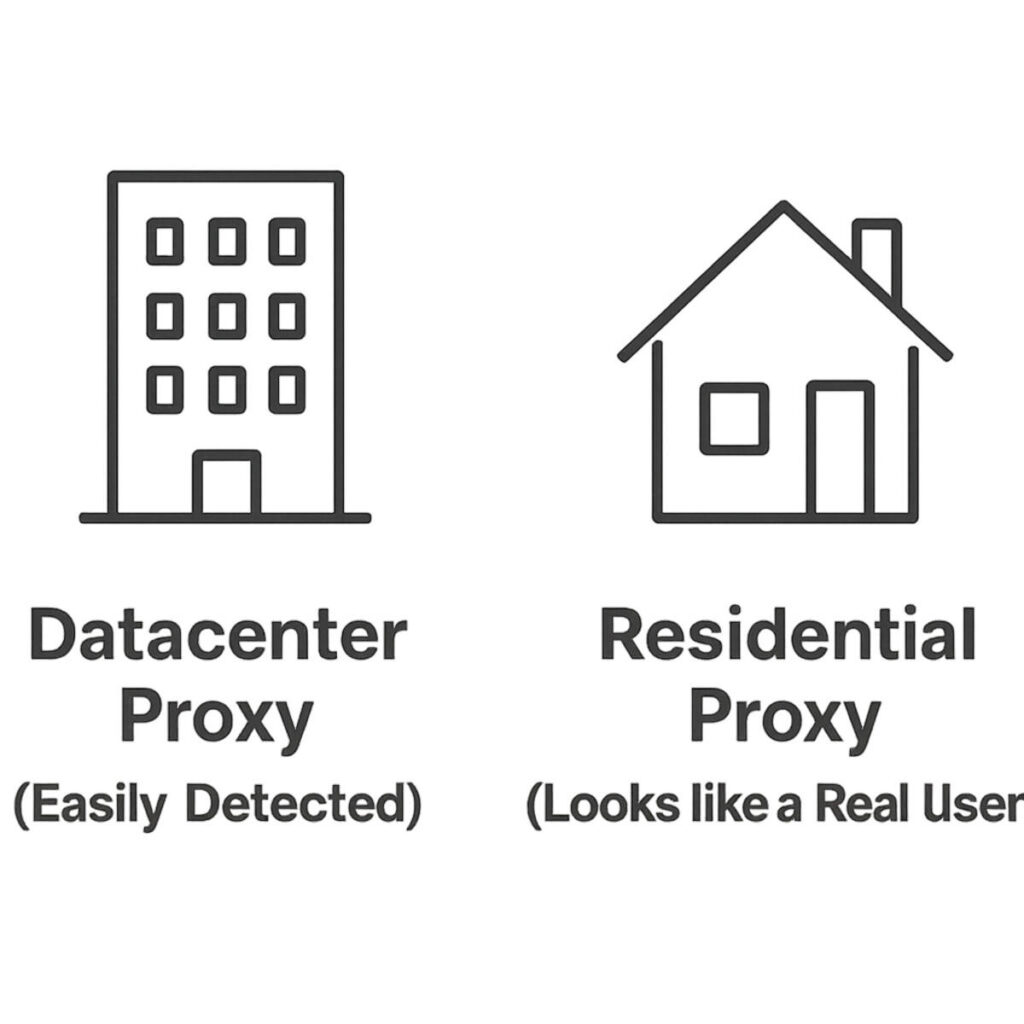
Now that you know a proxy can change your IP address, you face the single most important decision: choosing the type of proxy. This choice is the difference between blending in seamlessly and waving a giant red flag at LinkedIn’s security systems. Think of it like choosing a return address for that mail-forwarding service we talked about. You can either use a known commercial mailbox address or an address that looks like a real, suburban home. This is the core of understanding datacenter vs. residential proxies.
Datacenter proxies are the cheaper and more common option. These are IP addresses that don’t belong to a home internet provider like Comcast or Verizon; they belong to massive commercial data centers. Because these IPs are created in bulk on servers, they are fast and inexpensive. However, this is also their fatal flaw. It’s incredibly easy for a platform like LinkedIn to identify an IP address as coming from a known data center. When their systems see activity from one of these IPs, they immediately become suspicious. It’s like a person claiming to be a “regular user” while their mail is coming from a well-known bulk mailing facility—it just doesn’t look right and is a primary trigger for LinkedIn proxy detection systems.
On the other side of the spectrum are residential proxies. These are the gold standard and widely considered the best proxies for LinkedIn. A residential proxy uses an IP address that has been assigned to a real home internet connection by an Internet Service Provider (ISP). To LinkedIn, traffic coming from a residential IP looks completely normal and trustworthy—it’s indistinguishable from a regular user logging in from their living room. This legitimacy is crucial. Whether you’re managing a client’s account or using a tool to help gather data, a residential IP makes your activity appear authentic, dramatically lowering the risk of getting your account flagged or restricted.
When it comes to protecting your valuable LinkedIn accounts, the choice becomes clear. While datacenter proxies might be tempting due to their low cost, the risk is simply too high for a platform as sophisticated as LinkedIn. Their systems are built to spot these easily-identifiable IPs. For any serious, long-term activity, a residential proxy isn’t just a recommendation; it’s a requirement for staying under the radar and ensuring your accounts remain safe.
Mobile Proxies: The Ultimate Tier of LinkedIn Account Safety
If residential proxies are like using a real home address to appear legitimate, mobile proxies take it a step further. Your activity doesn’t just look like it’s coming from a house; it looks like it’s coming directly from someone’s smartphone using their 4G or 5G data plan. These proxies route your traffic through IP addresses assigned by major mobile carriers like Verizon, AT&T, and T-Mobile. For a platform like LinkedIn, this is the most common and authentic type of user activity they see every day, making it virtually undetectable.
The unique power behind mobile proxies comes from a concept called a shared IP pool. Unlike a home internet connection which is tied to one household, a single mobile IP address can be shared dynamically by hundreds or even thousands of people in the same city. This creates a huge dilemma for LinkedIn. If they were to ban a mobile IP because of one user’s actions, they risk cutting off access for countless other legitimate users who just happen to be sharing that same IP. Because of this high risk of “collateral damage,” platforms are extremely reluctant to block mobile IPs, making them the most trusted and secure option available.
So, when is this level of protection necessary? For most standard tasks, the best residential proxies offer more than enough security. However, when the stakes are incredibly high, mobile proxies for linkedin account safety become an essential insurance policy. This is the right choice for protecting a “crown jewel” account—like a CEO’s personal brand profile or a critical client’s account where any restriction would be a disaster. While these premium tools offer unparalleled safety, it’s vital to understand the dangers lurking at the opposite end of the spectrum: the tempting but treacherous world of free proxies.
The Hidden Dangers of Free Proxies on LinkedIn
The allure of a “free” solution is strong, especially when you’re just trying to manage your work more efficiently. However, when it comes to your professional LinkedIn account, using a free proxy is like trying to save money on a parachute—the potential cost of failure is catastrophic. These services aren’t offered out of kindness; they have a hidden business model, and more often than not, you are the product.
First and foremost, you have to ask yourself how these services make money. The unfortunate answer is often to log and selling your data. When you route your connection through their server, they can potentially see everything you send, including your LinkedIn username and password. This is one of the most significant risks of using free proxies on LinkedIn; it’s the digital equivalent of handing your house keys to a stranger. The goal is to protect your account, not give someone else the power to take it over.
Beyond the glaring security threat, there’s an even more immediate problem that leads to account suspension. Think of an IP address like a car’s license plate. Free proxy IPs have been used and abused by countless people for all sorts of spammy activities. As a result, they end up on public blocklists, which are like a “most-wanted” list for bad internet addresses. The moment you try to log into LinkedIn using one of these already blacklisted IPs, their security system sees a massive red flag. Can LinkedIn detect a proxy? When it’s a free, blacklisted one, the answer is an immediate and resounding “yes.”
Free proxies expose you to data theft, use toxic IPs that guarantee you’ll get flagged, and are often so slow and unreliable that your activity looks erratic—another trigger for security alerts. The minimal savings are simply not worth the near-certainty of failing to avoid LinkedIn account suspension and potentially losing your valuable profile forever.
How to Safely Use a Proxy with LinkedIn Automation
Now that you’ve chosen a safe, high-quality residential proxy, you might be tempted to jump right in and start connecting with hundreds of people. This is a critical mistake. Think about it this way: if someone who never goes to the gym suddenly shows up and starts lifting the heaviest weights for hours, it looks suspicious and unnatural. The same logic applies to your LinkedIn account. A brand-new proxy IP address is like a new gym membership for your account; you have to ease into it to avoid setting off alarms.
This gradual process is known as Account Warm-Up, and it’s the most important rule for how to prevent LinkedIn proxy detection. The goal is to slowly build a history of normal, human-like behavior from your new proxy IP address. Instead of sending 100 connection requests on day one, you start small and gradually increase your Activity Velocity—the speed and volume of your actions over time. To LinkedIn’s security systems, this slow ramp-up looks organic and trustworthy, while a sudden burst of activity from an unfamiliar IP address is a massive red flag.
What does a safe warm-up schedule look like? While every account is different, a good rule of thumb is to dedicate a few weeks to building that trust. This is a key step when configuring your proxy server settings for LinkedIn bots or automation tools.
Here’s a sample three-week schedule to get you started:
- Week 1: Log in daily. Perform 5-10 profile views and a few content likes per day. Send zero connection requests. The goal is just to establish a presence.
- Week 2: Increase to 15-20 profile views per day. Begin sending a small number of connection requests, around 5-10 daily.
- Week 3: You can now move towards 25-30 profile views and 15-20 connection requests daily.
By following a patient approach, you teach LinkedIn to associate your new proxy IP with a real, active user, not a spammy bot. This foundation of trust is your best defense against restrictions and is the secret to using automation tools successfully for the long haul. This raises another important question: should your proxy IP address always be the same, or should it change?
Static vs. Rotating Proxies: Which to Choose for Your LinkedIn Task?
After all that work warming up your account, the last thing you want is to mess it up by choosing the wrong kind of proxy. This brings us to a crucial choice: should your proxy IP address stay the same, or should it change? The answer depends entirely on your goal. This is the difference between a Static Proxy and a Rotating Proxy. Think of a static proxy as a reserved parking spot for your LinkedIn account. It gives you one single, dedicated IP for a linkedin profile that never changes. Every time you log in, you’re “parking” in the same trusted spot.
For managing one or more LinkedIn accounts, a static residential proxy is almost always the right choice. Consistency is key to building trust with LinkedIn’s security systems. Think about your own behavior: you typically log in from your home and office, and over time, LinkedIn learns to recognize these locations as safe. A static proxy mimics this perfectly, providing the stability needed for daily logins, sending messages, and building connections. This consistency is the best proxy type for lead generation because it proves your account is behaving like a real, predictable person.
But what if your goal isn’t to nurture an account, but to gather information on a massive scale? This is where a Rotating Proxy shines. Instead of one reserved spot, a rotating proxy gives you access to a huge pool of different IP addresses, changing your “return address” frequently. For tasks like researching hundreds of profiles for market data, IP address rotation for linkedin tasks is essential. It makes your activity look like it’s coming from many different users across the country, not one suspicious account making thousands of requests.
The rule of thumb is refreshingly simple. Use a static residential proxy for the day-to-day management of your LinkedIn profile to build trust and avoid flags. Only use a rotating residential proxy for large-scale, anonymous data-gathering where you don’t want the activity tied to a single identity. With the right type selected for your specific goal, you’re ready for the final step.
A Quick Guide to Setting Up Your First LinkedIn Proxy
Getting your proxy working is less technical than you might think. Whether you’re using an automation tool or a special browser, the process is surprisingly straightforward, and this short linkedin proxy configuration guide will give you the confidence to handle it. You’ve already done the hard part by choosing the right type of proxy; now it’s just a matter of telling your software how to use it. This final step is what bridges the gap between simply having a proxy and actively protecting your LinkedIn account.
After you purchase a proxy, your provider will give you a specific set of credentials. You’ll typically find these in your user dashboard on their website, often presented as a single line of text. Think of this line of text as the complete address and key to a private mailbox you’ve just rented. It contains everything a program needs to route your connection through that new, safe address instead of your own. Your job is simply to copy this information and paste it into the right place.
This string of text usually follows a standard format: IP_Address:Port:Username:Password. Let’s quickly break that down. The IP Address is like the street address of your proxy server, and the Port is like the specific apartment or suite number at that address—it directs your traffic to the right “door.” Together, they form the unique location of your proxy. The Username and Password are exactly what they sound like: the credentials that prove you are the authorized user, ensuring no one else can use the dedicated IP you’re paying for.
The good news is that you don’t need to be a developer to use this information. Nearly all automation tools, scrapers, and specialized browsers designed for managing social media accounts have a simple field for proxy server settings for linkedin bots. In most cases, you’ll find a text box where you can paste the entire string directly. Some tools may have separate fields for each part (IP, Port, User, Pass), but it’s still just a simple copy-and-paste job from the details your provider gave you.
With your credentials entered into your tool of choice, you’ve completed the process of setting up a dedicated IP. You’re now equipped to manage your LinkedIn activities with an essential layer of security and stability.
Answering Your Top 5 Questions About LinkedIn Proxies
Even with your proxy ready to go, it’s natural to have a few nagging questions about safety, rules, and best practices. These concerns are not just common; they’re smart. Protecting your valuable LinkedIn profile or your clients’ accounts is the whole point of this exercise. To give you complete confidence, we’ve gathered the five most frequent questions and answered them in plain English.
Here are the key topics we’ll clear up once and for all:
- Is using a proxy on LinkedIn illegal?
- What’s the difference between a VPN and a proxy?
- How many LinkedIn accounts can I use on one proxy?
- Can LinkedIn still detect a high-quality residential proxy?
- Do I need a proxy for Sales Navigator?
First, using a proxy is not illegal—they are standard, legitimate tools used for privacy and security across the internet. However, using a proxy to do things that go against LinkedIn’s Terms of Service, like running an automation tool or managing accounts for others, is a rule violation. Think of it like using a fake name to enter a private club; it isn’t against the law, but it can absolutely get you kicked out. This is why using a high-quality proxy to avoid detection is so critical.
Another common point of confusion is the vpn vs proxy linkedin debate. A VPN is like a disguise for your entire computer; it routes all your internet traffic through a different server. A proxy, on the other hand, is application-specific. You tell just one program—like your LinkedIn automation tool—to use it. This precision is perfect for our purposes because it dedicates a clean, stable IP address to your LinkedIn activity without affecting anything else you do online.
This leads directly to the golden rule of managing multiple accounts: one LinkedIn account per proxy. Never use the same proxy for more than one profile. If you do, you’re tying them all to the same digital “address.” If one account gets flagged, LinkedIn can easily see the others operating from that same address and restrict them all at once. By giving each account its own dedicated residential proxy, you keep them completely isolated and secure.
Ultimately, you want to know: can linkedin detect proxy usage even if you do everything right? With cheap or free proxies, the answer is yes, almost instantly. But with a high-quality residential proxy, it is extremely difficult. Because that proxy’s IP address comes from a real home internet provider, your activity looks identical to that of a regular user. As long as you “warm up” your account and don’t take aggressive actions, your proxy-protected activity blends in seamlessly. This same logic applies to proxies for sales navigator; since it’s part of LinkedIn’s ecosystem, all the same rules and risks apply, making a proxy a vital tool for any serious user.
Your Action Plan for LinkedIn Success with Proxies
Before reading this, the idea of using a proxy for LinkedIn might have seemed like a complex, risky maneuver reserved for tech experts. The fear of seeing a “restricted account” notice likely overshadowed any potential benefits. You now have the clarity to see past that confusion. You can distinguish between a suspicious, cheap shortcut and a high-quality tool that acts as a shield for your professional activity, ensuring your LinkedIn account safety.
All the information on how to scale your LinkedIn outreach securely can be distilled into three simple, non-negotiable rules. Following these is the single most important factor in protecting your account and reputation for the long term.
The 3 Golden Rules:
- Always use a high-quality Residential or Mobile proxy.
- Never use a free or Datacenter proxy for your account.
- Always “warm up” your account activity slowly on a new proxy.
With these rules as your guide, you’re ready to take confident action. Your journey to smarter, safer LinkedIn management starts with a simple plan. First, choose a reputable residential proxy provider that aligns with your goals. Second, connect that new proxy to your account or automation tool. Finally, begin the “warm-up” process by mimicking light, human-like activity for the first several days before ramping up.
You no longer have to see proxies as a source of risk, but as a tool for security and growth. Think of it less as hiding and more as giving each of your accounts its own private, legitimate online “home.” By following these steps and choosing one of the best proxies for LinkedIn, you’re no longer guessing or hoping for the best. You’re taking control and operating like a pro.